

How to order blood products for collection
 Edinburgh Cancer Centre new nurse handbook

Step 1. From ward view on TRAK click on patient, then click on clinical menu.
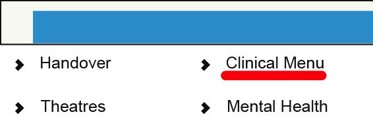
Step 2. In Clinical Menu, click on Order.

Step 3. Click specimen collected. Then type BT in sub category box then click the magnifying glass next to order item. A box will appear, click on blood component & product collection slip.
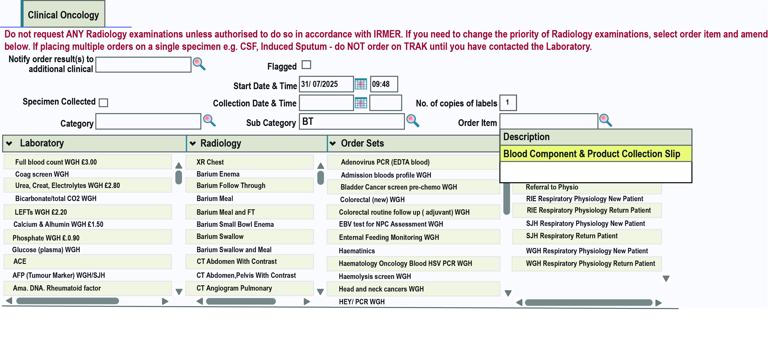
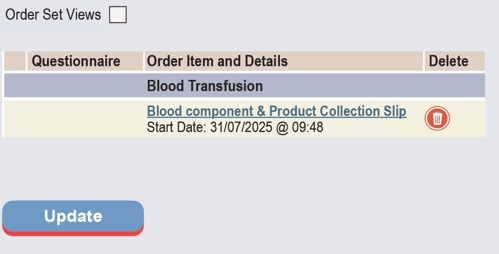
Step 4. This pane will be at the right side of the screen, click on update.
Step 5. Click on magnifying glass on box next to component/product to be collected. A drop down box will appear, click on required blood product.
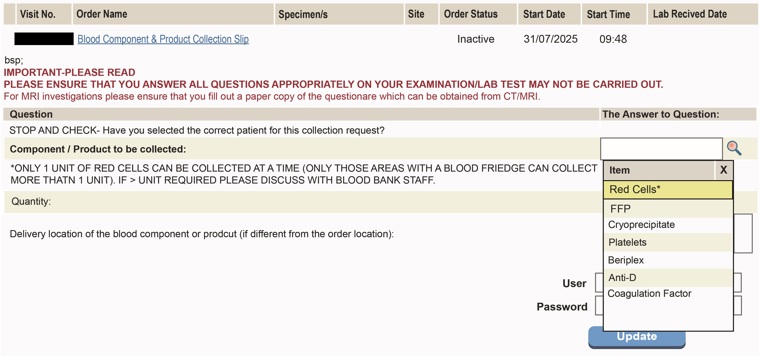
Step 6. Enter quantity needed, only areas with a blood fridge can order more than one unit of RCC at once. Enter user details and update.
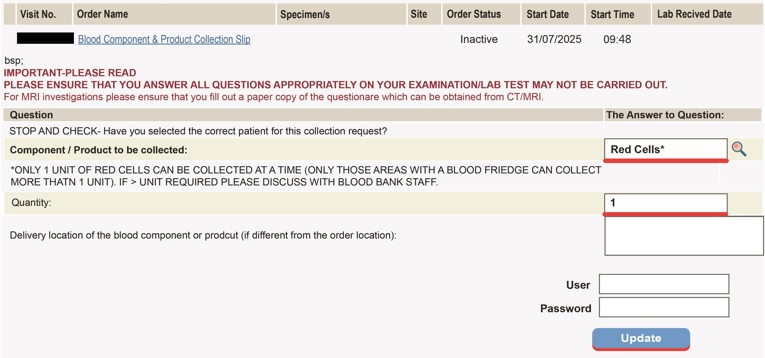
Step 7. Collection slip will be printed in the blood collection area in the labs, ready for blood to be collected by an appropriately trained person.