How to order blood samples on TRAK
 Edinburgh Cancer Centre new nurse handbook

Step 1. From ward view on TRAK click on patient, then click on clinical menu.
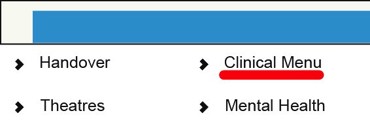
Step 2. In Clinical Menu, click on Order.

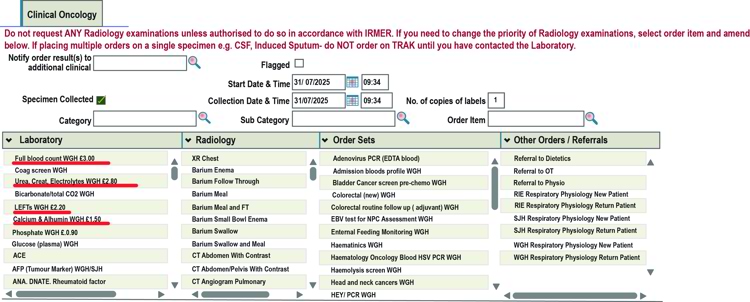
Step 3. Make sure you click on the box next to specimen collected before ordering any samples, click on required blood tests. These will appear in the order pane to the right of the screen (see step 4).
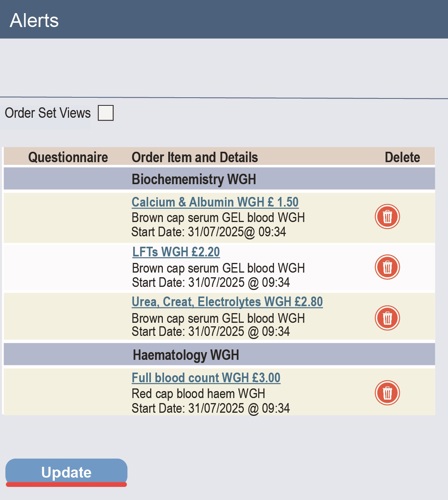
Step 4. Check that you have ordered the required tests, then click on update.
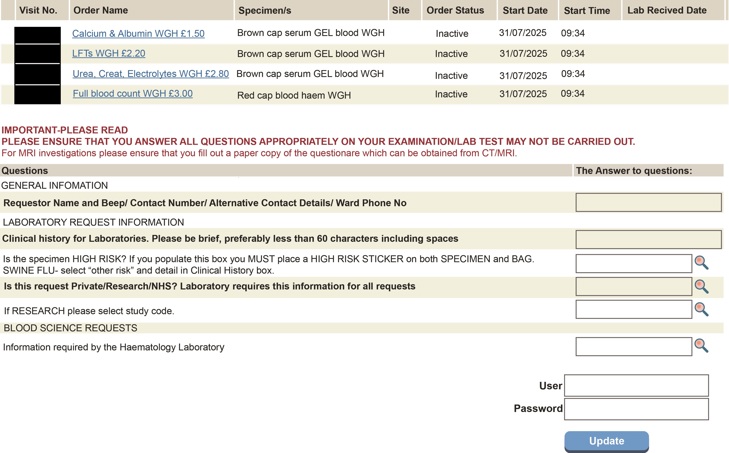
Step 5. Fill in required information (in bold). Then fill in username and password then click on update.