Grampian anaesthesia toolkit [in development]
After the Stop on time has passed, the prescription will automatically discontinue, and no more administrations can occur. The prescription is greyed out with CONCLUDED on top.


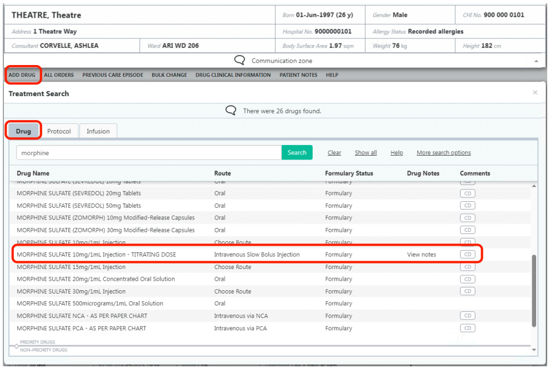
From the Inpatient Rx tab, click on Add Drug and type the name of the opioid for titration. Options include Alfentanil/Morphine mixture (Alfine), Morphine, Oxycodone, Fentanyl and Tramadol.
Choose the preparation with TITRATING DOSE appended to the name.
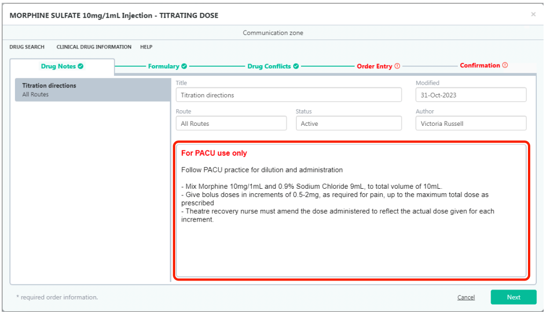
The titrating doses of opioids have a drug note attached to them with some prescribing and administration instructions.
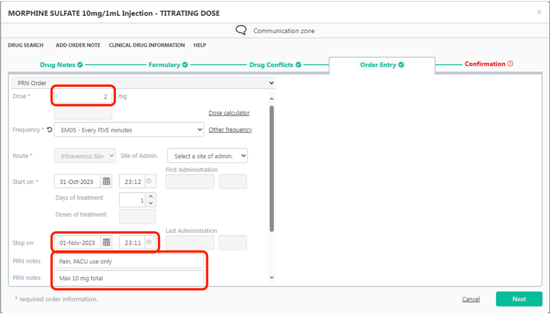
Click on the green Order Entry tab to go to the screen below.
PACU practitioners will be able to give bolus doses up to the prescribed dose. You can decrease this if desired.
The Stop on field defaults to 24 hours from now. For maximum safety and avoidance of the prescription being available on the ward, change the date and time to approximately four hours after the end of anaesthesia.
The PRN Notes fields show the maximum dose that can be administered. Alter this if necessary.
Once the maximum dose has been administered then the order will need to be modified and the maximum dose changed, or a new opioid prescription created.
Click on the green Next button or Confirmation tab to see a summary of the prescription shown on the next page, then click on the green Confirm or Confirm & prescribe another button.
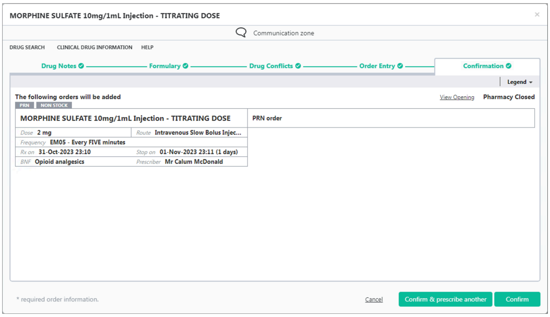
On the Inpatient Rx screen, the drug will appear in the PRN section, which you may need to scroll down to see.
Last administration shows when the last dose was given.

Click on the Administration History link to see all the administrations of morphine.
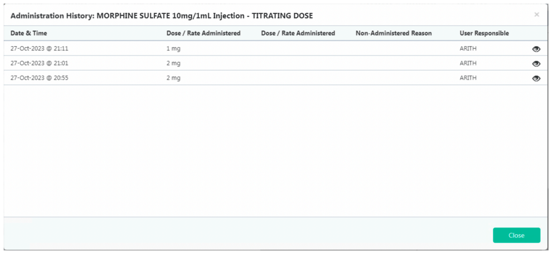
After the Stop on time has passed, the prescription will automatically discontinue, and no more administrations can occur. The prescription is greyed out with CONCLUDED on top.
If you want to increase the max dose in the PRN notes or change the bolus dose you will need to modify the prescription.
Click on the prescription and select the Order Modify tab.
A Reason for the change will need to be chosen.
Alter the dose or PRN Notes max total as required.
Click on Confirm
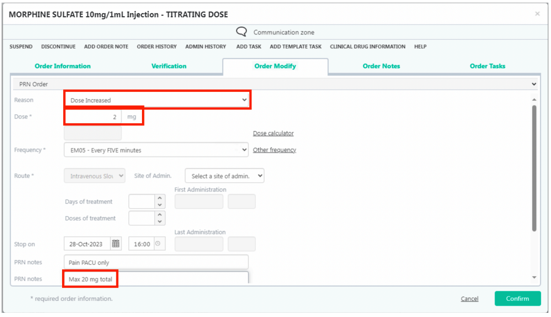
The prescription now shows a green Modified label on the right-hand side.

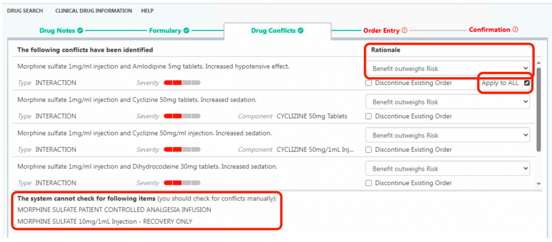
When prescribing more than one opioid or when another drug may interact, the drug conflict warning will appear.
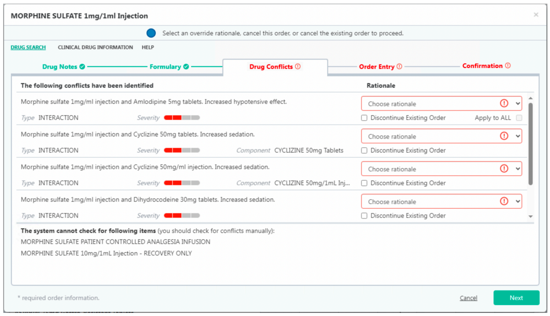
Select an option from the list to explain the Rationale.
If the reason is the same for all drugs, tick the Apply to ALL box.
Click on Next to go to the next tab and complete the prescription.