

 SJH Emergency Medicine

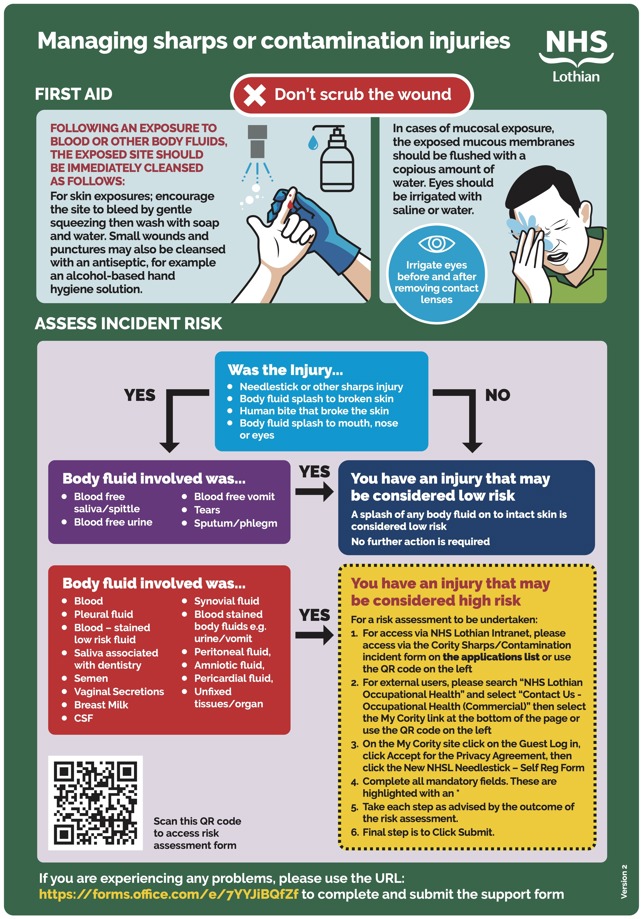
The new link is https://lothiannhs.my.cority.com/#/login
The instructions on how to access the new questionnaire are:
- Clicking the link https://lothiannhs.my.cority.com/#/login or scanning the QR code will take you to the ‘My Cority’ Site
- On the ‘My Cority Site’ click on the ‘Guest Log in’ then click on ‘Accept the Privacy Agreement’
- Select the ‘New NHSL Needlestick – Self Reg Form’
- Complete all mandatory fields. These are highlighted with an *
- Take each step as advised by the outcome of the risk assessment.
- Final step is to Click Submit