RDS Learning and support
This guide will take you through the filter options available when you search for a term within the search box. The example search term is ‘nutrition’.
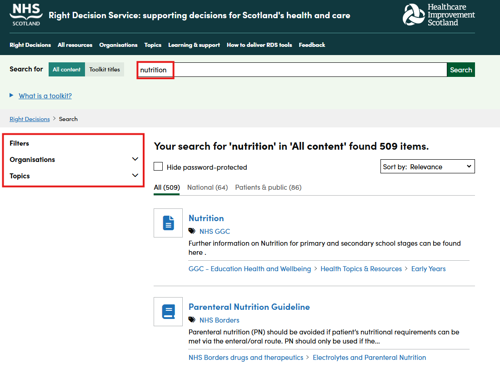

Filters allow users to narrow their search results to particular organisations or topics. This is useful as it allows the user to more quickly navigate towards relevant content allowing for safe decisions based on validated evidence to be made.
This guide will take you through the filter options available when you search for a term within the search box. The example search term is ‘nutrition’.
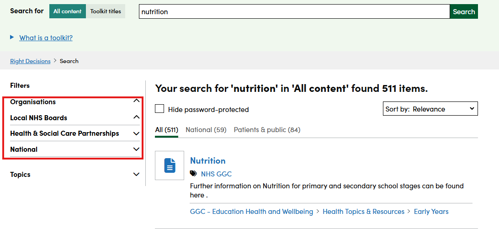
When search results appear, you have the option to make these results more focused and relevant by filtering by organisation (Local NHS Boards, Health & Social Care Partnerships or National).
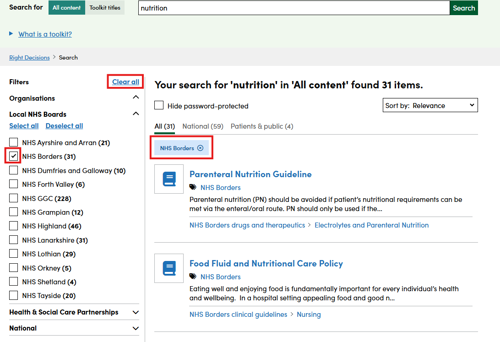
To remove a filter, you can either untick the box on the left-hand side, close the tag which appears under the number of search results or select ‘Clear all’ at the top of the Filters menu.
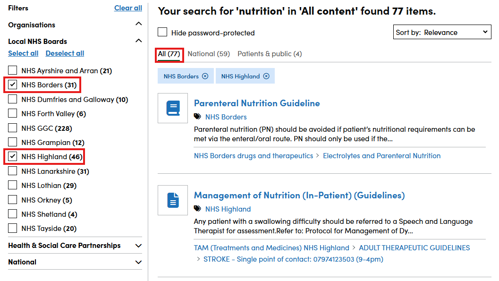
You also have the option to filter by more than one organisation (Local NHS Boards, Health & Social Care Partnerships or National). This results in an ‘OR’ search which includes the search results for ALL the organisations selected.
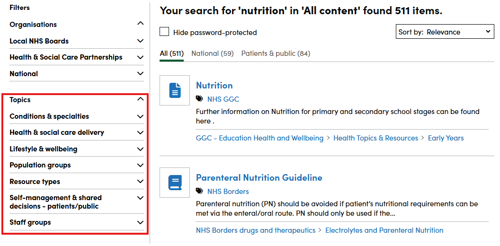
As well as filtering by organisation, you can filter by topic. Here are the main topic headings:
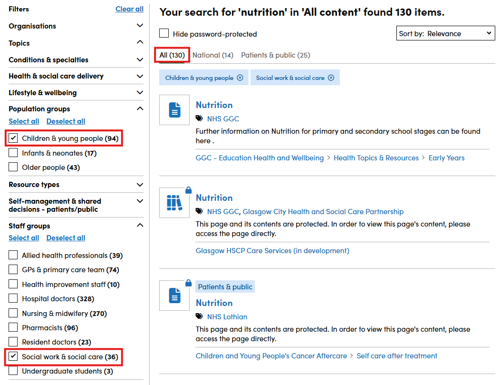
As with filtering by organisation, you can filter by more than one topic.
Again, this results in an ‘OR’ search (which includes the search results for ALL the topics selected).
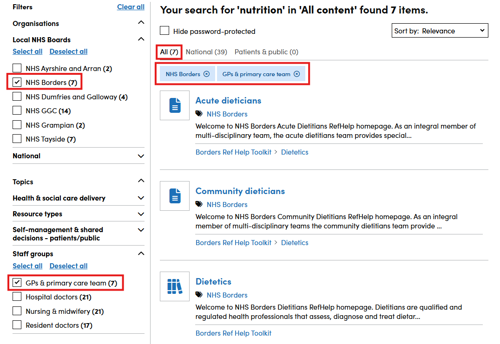
You can choose to filter by topic and organisation. This results in an ‘AND’ search. This means that only results tagged as BOTH the topic AND the organisation appear in the search results. You can see in this example that the number of search results for ‘nutrition’ in ‘All content’ is reduced from 31 (when filtering by NHS Borders content) to 7 (when filtering by NHS Borders content and ‘GPs & primary care team’ staff groups filter).
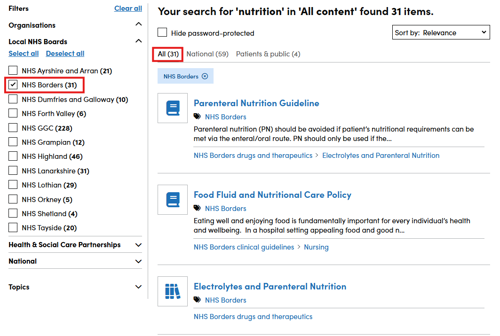
This means that GPs in NHS Borders using this filter combination are not receiving search results from other organisations (because the search results appearing must be tagged with both NHS Borders AND GPs & primary care team).